Scan hundreds of photos on your device
BlurRemover analyzes the OS's cached thumbnails in parallel background isolates, so you can scan a whole trip without freezing the screen.
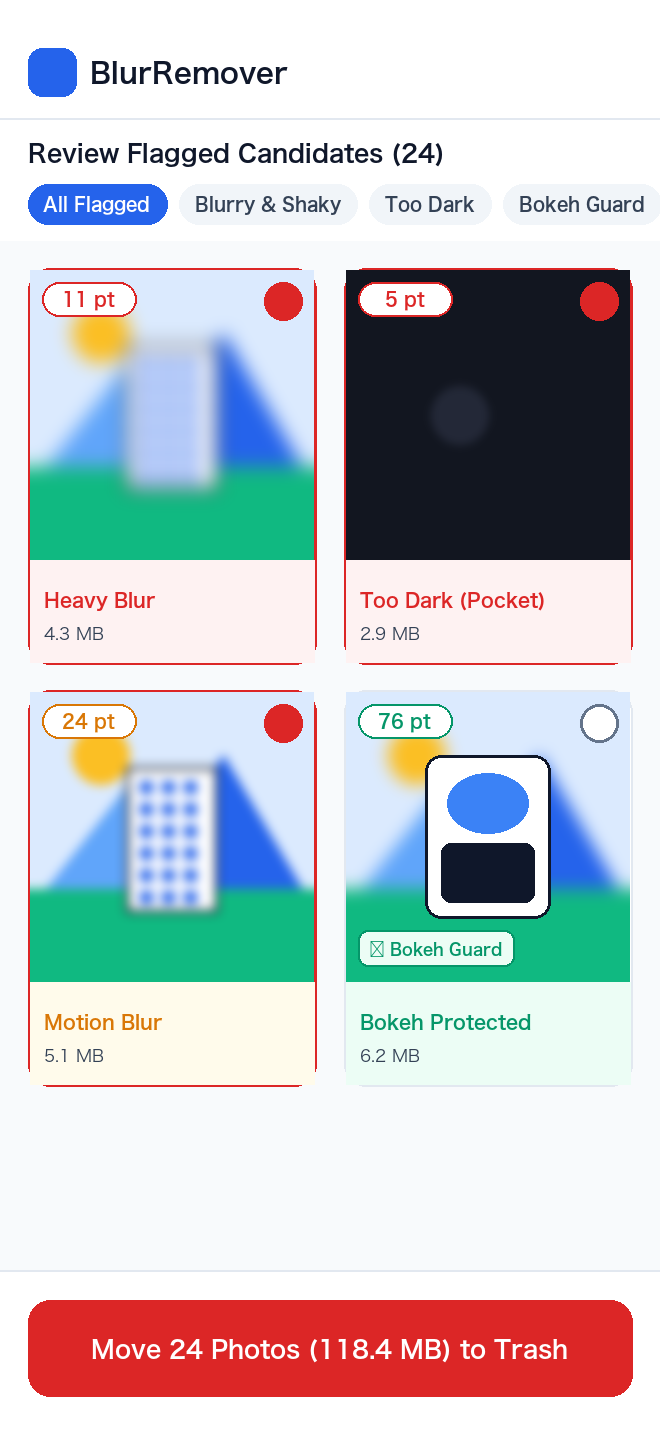
Scan a whole trip's photos and burst frames in one pass. BlurRemover spots out-of-focus, shaky, and accidental dark shots with Variance of Laplacian edge analysis that runs entirely on your phone. Intentional portrait bokeh stays protected, and every deletion goes to your OS trash, so you can always restore it.

⚠️ Out-of-focus shot: very low edge variance across the whole image and the center. Flagged as a strong deletion candidate.
Demo uses sample images with illustrative scores. The app analyzes your own photos on your device.
Subscriptions that add up, privacy worries, and portrait shots flagged by mistake. BlurRemover was designed around these.
Many cleaner apps start with a short free trial and then renew every week. BlurRemover has no subscription: core features are free and Pro is a one-time purchase.
Your camera roll holds family photos, travel memories, even ID snapshots. BlurRemover analyzes everything on your device and never uploads your photos.
Simple sharpness checks can mistake portrait-mode shots for blurry ones. BlurRemover also checks the center subject and the sharpest tile, and protects photos whose subject is in focus.
BlurRemover never permanently deletes anything. Selected photos go to your OS trash (iOS “Recently Deleted” / Android 11+ trash), where you can restore them for up to 30 days.
Review your camera roll without cloud delays or a frozen screen.
BlurRemover analyzes the OS's cached thumbnails in parallel background isolates, so you can scan a whole trip without freezing the screen.
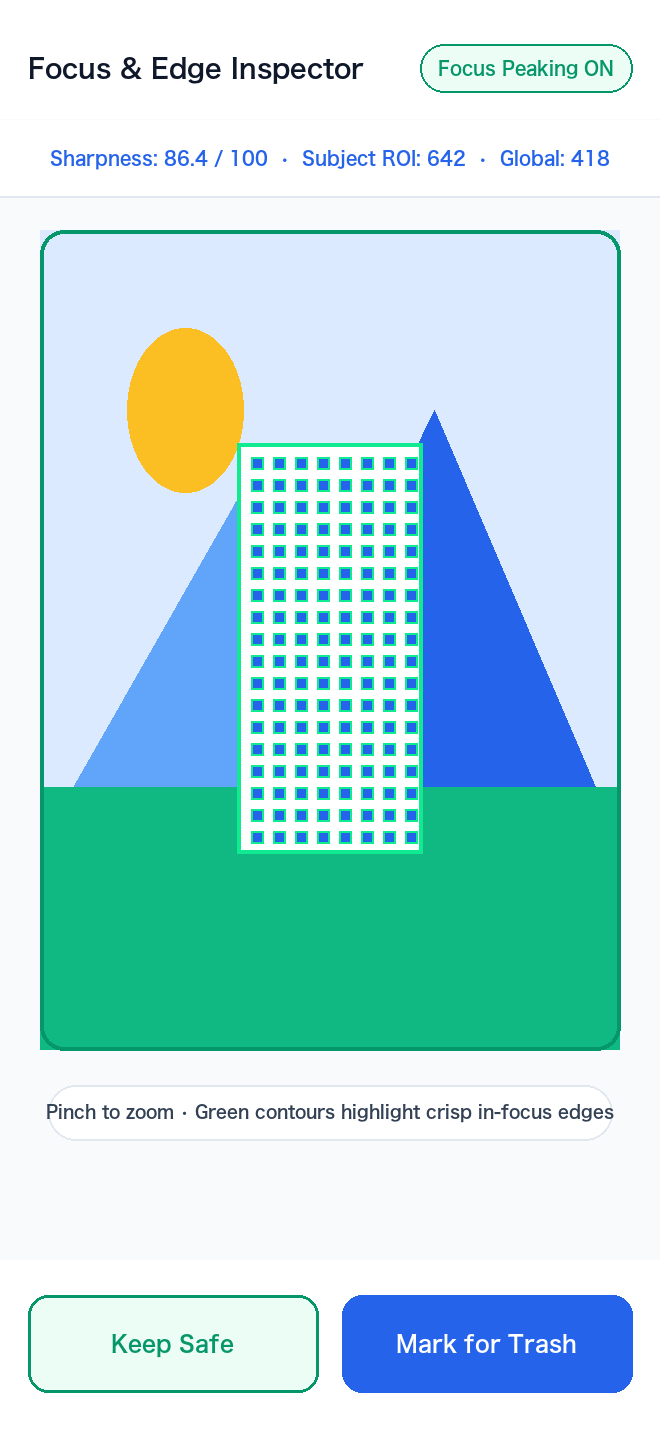
Camera-style focus peaking highlights crisp edges in green, so you can check whether faces or landmarks are really in focus.
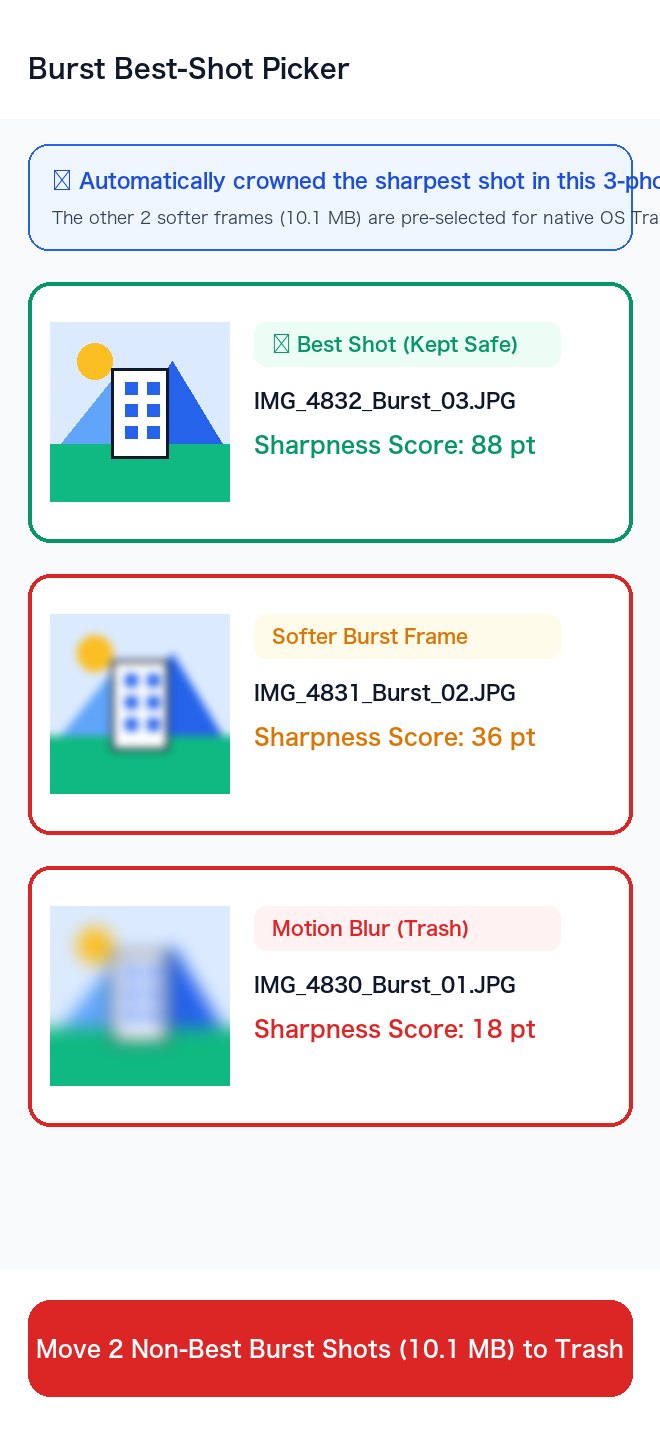
Photos taken within 3 seconds of each other are grouped automatically. The sharpest frame gets a crown, and the softer frames can be selected together.
Pick a situation to see the recommended sensitivity, scan period, and tips.
Shooting while walking leaves you with shaky shots and missed focus. Set the period to Last 7 days and scan on the way home. BlurRemover flags shaky snapshots and accidental dark shots, so you only share the keepers.
See how scanning works →
Fast-moving kids and pets mean lots of burst shots. The burst picker compares photos taken within 3 seconds, crowns the sharpest frame, and lets you select the rest together.
See the burst picker →
Food and flower close-ups often have intentionally blurred backgrounds. BlurRemover's center-weighted analysis checks whether the dish itself is sharp before flagging anything.
Compare Free & Pro →
When your phone says storage is almost full, scan All photos first. Years of shaky shots, accidental pocket photos, and burst misses can be moved to the trash together. Space is freed once the trash is emptied (automatically after up to 30 days, or manually in your Photos app).
Read the FAQ →
Offline analysis, recoverable deletions, and a sister app for screenshots.
Photo analysis needs no internet connection, so you can clean up on a flight home. Your photos are never uploaded.
Read the privacy policy →
Deletions use PHAssetChangeRequest on iOS and MediaStore trash on Android 11+. You have up to 30 days to restore them in your Photos app.
Read the trash FAQ →
A technically blurry photo can still be precious. Tap “Keep Safe” and it won't show up as a candidate in future scans.
See inspector features →
Pair it with our sister app CleanBar to hide the time, battery level, and notifications in screenshot status bars.
Explore CleanBar →Analysis runs on your phone, so there are no server costs to pass on as a subscription. Try the full scan accuracy for free before deciding.
| Feature | Free | Pro (one-time) |
|---|---|---|
| On-device scan (Laplacian variance) | ✓ Unlimited | ✓ Unlimited |
| Portrait bokeh guard | ✓ | ✓ |
| Focus peaking & pinch zoom | ✓ | ✓ |
| Sensitivity (Gentle / Balanced / Strict) | ✓ | ✓ |
| Dark & overexposed shot detection | ✓ | ✓ |
| Burst best-shot picker (crown + select the rest) | ✓ | ✓ |
| Move to OS trash | Up to 15 photos per action | ✓ Unlimited per action |
| Ads | None | None |
The Pro price is shown in the App Store / Google Play and may vary by region. Requires iOS 13 or later / Android 11 or later.
Free to download. Scan your camera roll and see the results before deciding on Pro.
Privacy, deletion safety, storage, and restoring purchases.
No. Sharpness scoring, edge detection, and burst grouping all run on your phone. Your photos, thumbnails, and scores are never sent anywhere. The only network communication is the App Store / Google Play purchase system used for the optional Pro upgrade.
In most cases, no. BlurRemover checks the center region and the sharpest of 9 tiles in addition to the whole image. If the main subject (a face, a person, a dish) is sharp, the photo is marked “Bokeh Protected” and excluded from candidates. You can also tap “Keep Safe” on any photo.
Yes. BlurRemover never permanently deletes photos. They go to iOS “Recently Deleted” or the Android system trash, where you can restore them in your Photos app for up to 30 days.
Not until the trash is emptied. Photos in the trash still use storage until they are removed automatically (after up to 30 days) or you delete them from “Recently Deleted” / the trash in your Photos app.
iOS 13 or later and Android 11 or later. Android 10 and earlier have no system trash for photos, so BlurRemover doesn't support them to make sure every deletion stays recoverable.
Open Settings in BlurRemover and tap “Restore Purchase” while signed in to the same Apple ID or Google account. Pro is a one-time purchase, so you won't be charged again.
Questions, feedback, or detection issues? Send us an email.